

0%

https://alsalammasjid.madinasites.com/wp-content/uploads/2025/11/header-4.png

Masjid Council

Masjid AlSalam Council
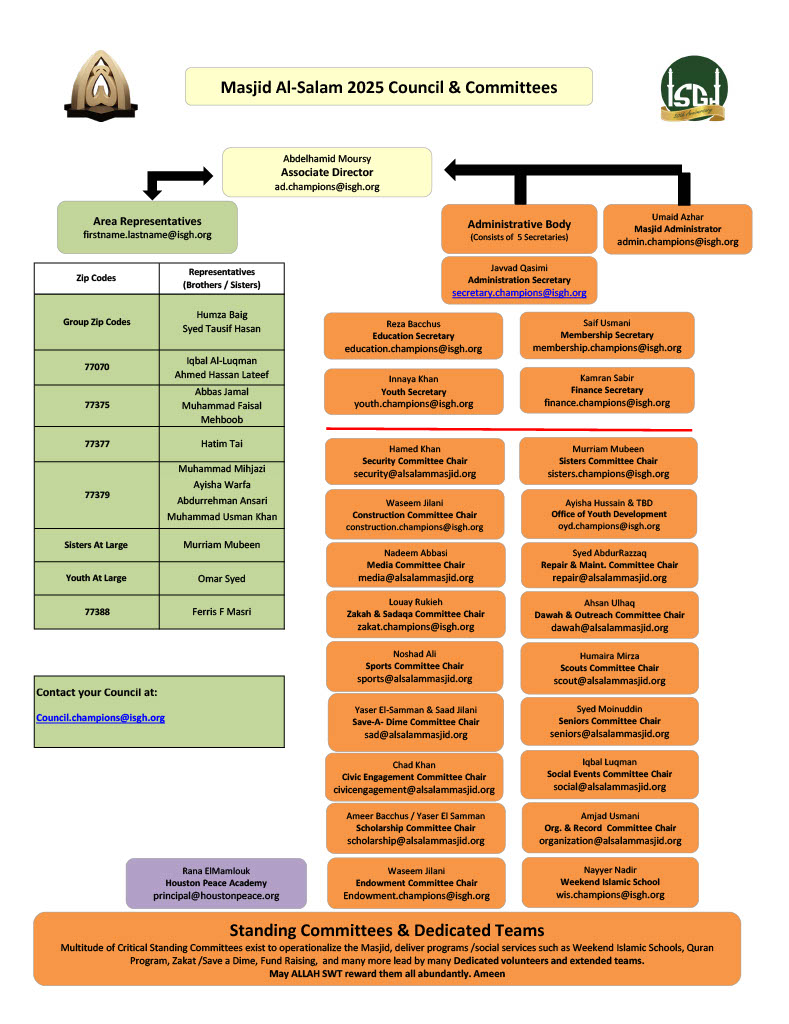
Council Organizational Chart

Managing a large masjid such as ours requires a dedicated group of people that can equitably represent the community that our masjid serves.  These people comprise the Council of our masjid.  In order to serve in the council, one must get elected by the voting members of the Islamic Society of Greater Houston (ISGH).

If you are interested in being a part of the council to help manage our masjid, Alhamdulillah, you are most welcome!  Here is what you should do:

  • Read the ISGH Constitution and Bylaws.  This will provide you all of the rules and regulations that govern how the organization is run, how members are elected to the various positions within each zone of Houston, and the key dates and actions that are important to know for people interested in running for an elected position.
  • Come talk to us.  We have a monthly council meeting where community members are invited to visit and listen on the various items the council is working on.  The meeting times change each year but for 2021 they are at 8 AM on the SECOND SUNDAY of each month.  Email us at media@alsalammasjid.org to find out about the next meeting schedule.

The following is the Council Organizational Chart for 2025. It can also be downloaded in PDF format from THIS LINK.

Contact information about the council members and committee is available in the Masjid Directory page.

Meeting Minutes

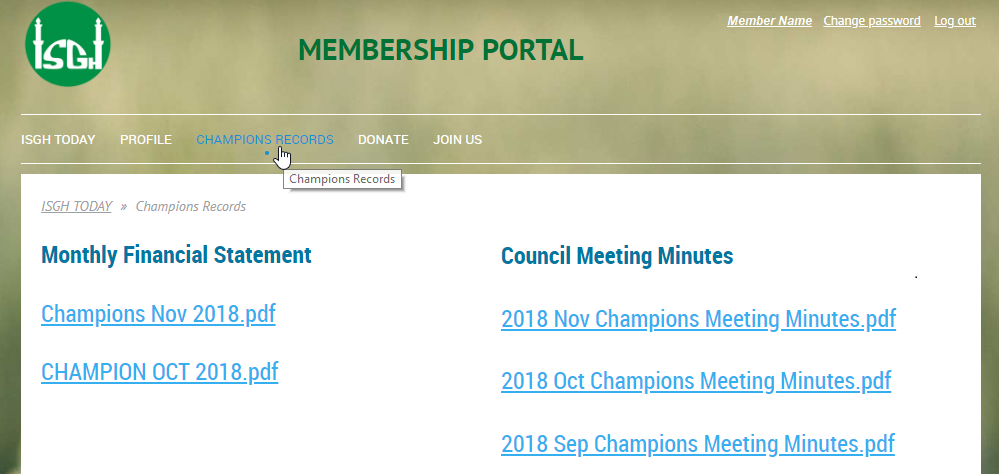
Meeting Minutes for the monthly meetings of the Masjid’s Council are available to ISGH members after they are published.  Council meetings are scheduled to take place at least once a month and sometimes more to address specific needs.  Since the discussions sometimes involve community specific matters, these minutes are only available to ISGH members, and can be accessed from the ISGH Member Portal.
Donations
Begin typing your search above and press return to search.
Select Your Style

You can choose the color for yourself in the theme settings, сolors are shown for an example.

wpChatIcon